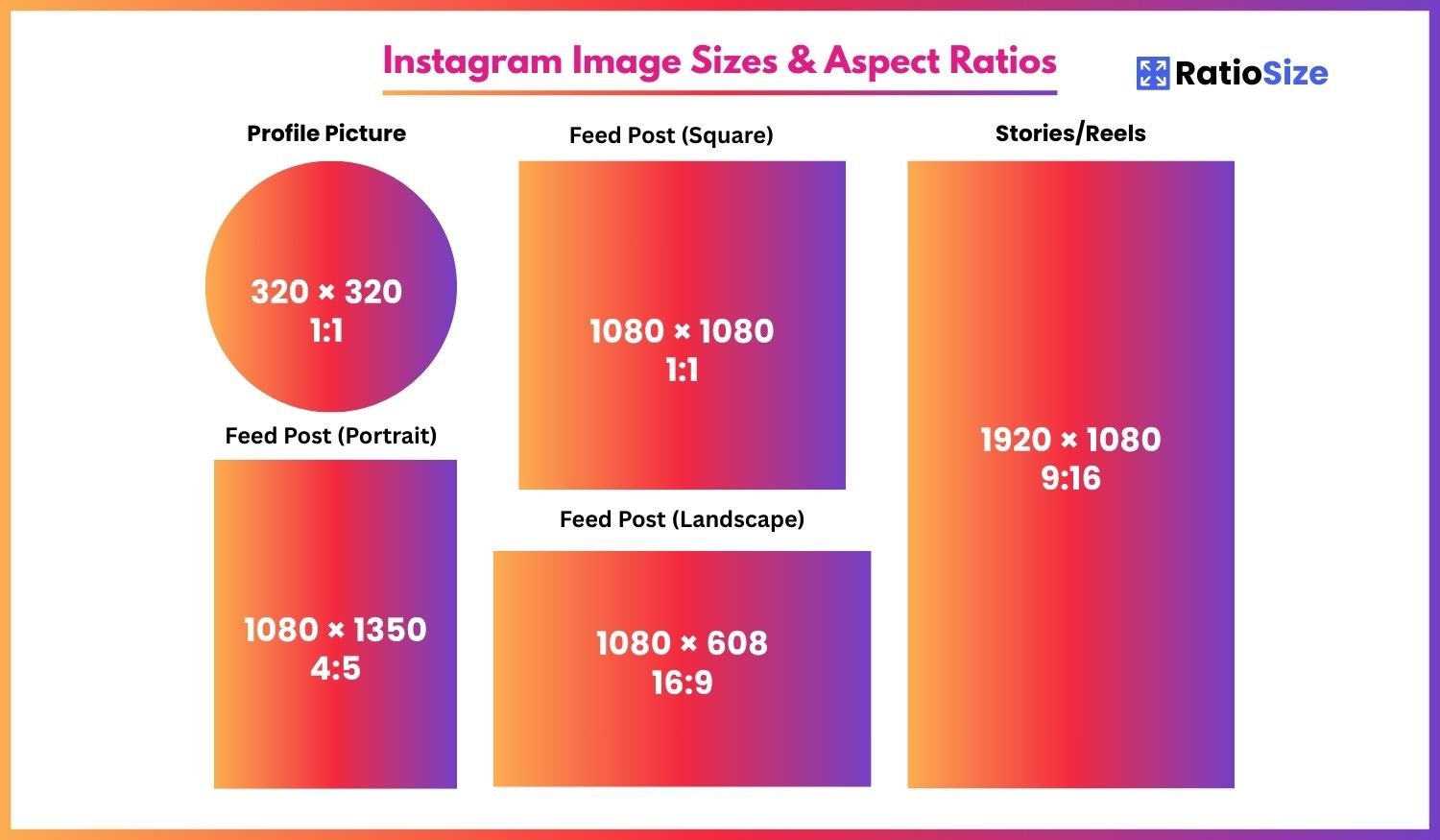
Why Instagram Image Sizes Matter
Instagram has evolved from a simple photo-sharing app to a powerful marketing platform with multiple content formats. Using the correct dimensions for each format is essential for professional-looking content that drives engagement. When images are properly sized, they appear crisp and clear without unwanted cropping, compression artifacts, or distortion.
The platform's algorithm also favors visually appealing content that fits perfectly within its display parameters. By optimizing your images for Instagram's specifications, you increase the likelihood of your content being featured in Explore, reaching a wider audience, and receiving higher engagement rates.
Instagram Image Size Chart
| Content Type | Aspect Ratio | Dimensions (pixels) | Notes |
|---|---|---|---|
| Profile Picture | 1:1 | 320 × 320 | Displays as 110 × 110 |
| Square Post | 1:1 | 1080 × 1080 | Min: 600 × 600 |
| Portrait Post | 4:5 | 1080 × 1350 | Max height: 1350px |
| Landscape Post | 1.91:1 | 1080 × 566 | Min width: 1080px |
| Stories/Reels | 9:16 | 1080 × 1920 | Full-screen vertical |
| Carousel Post | 1:1, 4:5, 1.91:1 | Varies by format | All images must use same ratio |
| IGTV Cover | 1:1.55 | 420 × 654 | Portrait orientation |
| Instagram Shop | 1:1 | 1080 × 1080 | Product photos |
Profile Pictures
Your Instagram profile picture is a crucial element of your brand identity on the platform. While it appears small in the interface, it's important to upload a higher-resolution image to ensure clarity across all devices.
- Recommended size: 320 × 320 pixels
- Display size: 110 × 110 pixels on most screens
- Aspect ratio: 1:1 (square)
- Format: JPG or PNG
Pro tip: Your profile picture will be cropped into a circle, so ensure all important elements are centered within the frame. Allow for approximately 15% around the edges to account for the circular crop.
Instagram Feed Posts
Instagram's feed supports three main aspect ratios: square (1:1), portrait (4:5), and landscape (1.91:1). Each format has its advantages depending on your content and objectives.
Square Posts (1:1)
The original Instagram format, square posts continue to be popular due to their versatility and perfect integration with the profile grid.
- Recommended size: 1080 × 1080 pixels
- Minimum size: 600 × 600 pixels
- Aspect ratio: 1:1
- Best for: Product photos, symmetrical compositions, profile grid aesthetics
Portrait Posts (4:5)
Portrait posts occupy more screen real estate in the feed, making them ideal for capturing attention as users scroll.
- Recommended size: 1080 × 1350 pixels
- Maximum height: 1350 pixels (Instagram will crop taller images)
- Aspect ratio: 4:5
- Best for: Fashion, product showcases, people, vertical graphics
Important note: While Instagram technically allows images with aspect ratios between 4:5 and 1.91:1, the maximum height is capped at 1350 pixels. Images exceeding this height will be automatically cropped.
Landscape Posts (1.91:1)
Landscape posts are excellent for panoramic scenes, group photos, and wide-format content.
- Recommended size: 1080 × 566 pixels
- Minimum width: 1080 pixels
- Aspect ratio: 1.91:1 (approximate 16:9)
- Best for: Landscapes, architectural shots, group photos, cinematic content
Instagram Stories and Reels
Instagram Stories and Reels use full-screen vertical formats designed to maximize mobile screen usage. These formats have become increasingly important as Instagram emphasizes short-form video content.
Stories
Stories appear for 24 hours (unless added to Highlights) and support photos, videos, and interactive elements.
- Recommended size: 1080 × 1920 pixels
- Minimum size: 600 × 1067 pixels
- Aspect ratio: 9:16
- Safe zone: Keep important content within the center 250 pixels to avoid interface elements
Reels
Instagram Reels are short videos (up to 90 seconds) designed to compete with TikTok's format.
- Recommended size: 1080 × 1920 pixels
- Aspect ratio: 9:16
- Duration: Up to 90 seconds
- Safe zone: Keep key elements centered to avoid overlays and buttons
IGTV and Video Content
IGTV allows for longer-form video content on Instagram with its own unique specifications.
IGTV Videos
- Aspect ratio: 9:16 (vertical) or 16:9 (horizontal)
- Recommended size: 1080 × 1920 pixels (vertical)
- Minimum resolution: 720 pixels (width)
- Duration: 1 minute to 60 minutes
IGTV Cover Images
- Recommended size: 420 × 654 pixels
- Aspect ratio: 1:1.55
- Function: Appears in feed and IGTV section
Carousel Posts
Carousel posts allow users to include up to 10 images or videos in a single post that viewers can swipe through. All items in a carousel must use the same aspect ratio.
- Supported aspect ratios: 1:1, 4:5, or 1.91:1
- Recommended square size: 1080 × 1080 pixels
- Recommended portrait size: 1080 × 1350 pixels
- Recommended landscape size: 1080 × 566 pixels
- Maximum number of items: 10
Best practice: Plan your carousel content to maintain visual consistency across all slides. Choose an aspect ratio that works well for all your content before creating your carousel.
Instagram Safe Zones and Text Placement
For optimal display across all devices and formats, consider these safe zones when designing Instagram content:
- Stories and Reels: Keep essential content away from the top and bottom 14% of the frame (approximately 250 pixels from top and bottom in a 1080 × 1920 pixel image). This area may be covered by interface elements or automatically cropped.
- Feed Posts: While Instagram doesn't crop feed posts as aggressively, it's still advisable to keep critical content at least 5-10% away from edges.
- Text Placement: For all formats, keep text within the central 80% of the image for optimal readability.
Image Quality Tips for Instagram
Beyond dimensions, consider these factors to ensure your Instagram content looks its best:
- Resolution: Always use high-resolution images that meet or exceed Instagram's recommended dimensions.
- Compression: Instagram automatically compresses uploaded images. To minimize quality loss, optimize your images before uploading using tools that maintain quality while reducing file size.
- File Format: JPG format is generally preferred for photos on Instagram due to its efficient compression, while PNG is better for graphics with text or transparent elements.
- Color Profile: Use sRGB color profile for all Instagram content to ensure accurate color display across devices.
- File Size: Keep file sizes below 30MB for photos and 4GB for videos to avoid issues during upload.
Staying Updated with Instagram's Changes
Instagram frequently updates its platform, sometimes adjusting recommended dimensions and introducing new features. To ensure your content always looks its best:
- Follow Instagram's official business blog for updates
- Test new formats when they're released
- Monitor how your content appears across different devices
- Use Instagram's native preview tools before posting
- Check RatioSize regularly for the latest size recommendations
By maintaining awareness of Instagram's evolving specifications and adhering to best practices for each content format, you'll maximize the visual impact and effectiveness of your Instagram presence.