Understanding the 16:9 Aspect Ratio
The 16:9 aspect ratio, sometimes expressed as 1.78:1, has become the global standard for digital video and displays. This widescreen format offers a rectangular shape that is significantly wider than it is tall, making it ideal for modern visual media. The ratio means that for every 16 units of width, there are 9 units of height, creating a frame that can accommodate both cinematic content and standard television programming.
The prevalence of 16:9 in modern devices is nearly universal — from smartphones and tablets to computer monitors, televisions, and projectors. This standardization has simplified content creation while offering viewers a more immersive experience than the previously dominant 4:3 format.
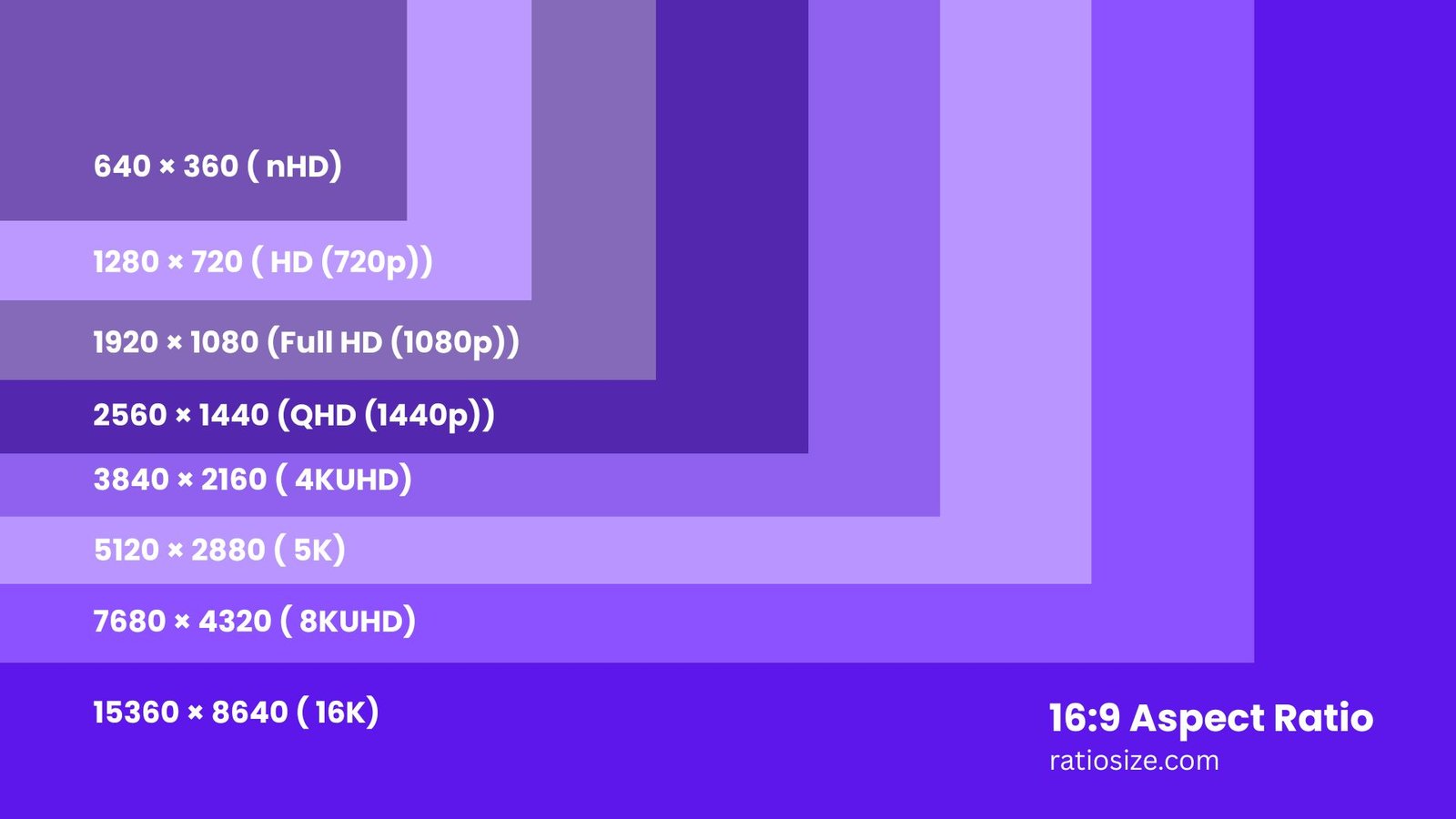
Common 16:9 Resolutions and Their Applications
| Resolution Name | Dimensions (pixels) | Total Pixels | Common Uses |
|---|---|---|---|
| nHD | 640 × 360 | 230,400 | Mobile video, low-bandwidth streaming |
| HD (720p) | 1280 × 720 | 921,600 | Standard HD video, entry-level displays |
| Full HD (1080p) | 1920 × 1080 | 2,073,600 | High-quality video, standard displays |
| QHD (1440p) | 2560 × 1440 | 3,686,400 | Gaming monitors, high-end smartphones |
| 4K UHD | 3840 × 2160 | 8,294,400 | Premium TVs, professional video production |
| 5K | 5120 × 2880 | 14,745,600 | High-end monitors, professional editing |
| 8K UHD | 7680 × 4320 | 33,177,600 | Cutting-edge displays, future-proof content |
| 16K | 15360 × 8640 | 132,710,400 | Experimental, extremely high-end applications |
Historical Significance of 16:9
The 16:9 aspect ratio's rise to prominence is relatively recent compared to the long-standing 4:3 format. The journey toward widescreen as a standard began in the film industry and eventually made its way to consumer electronics:
- Cinematic origins: The film industry has long used wider formats than television, with various aspect ratios from 1.85:1 to 2.39:1. The 16:9 ratio (1.78:1) was chosen as a compromise that could reasonably display both cinematic content and standard TV programming.
- HDTV adoption: In the 1980s, when developing high-definition television standards, the 16:9 ratio was selected as the future of broadcasting. Japan's Hi-Vision was the first HDTV system to use this ratio in 1989.
- Digital transition: As television transitioned from analog to digital broadcasting in the early 2000s, the 16:9 format became the official standard for HDTV worldwide.
- Display evolution: Computer monitors, which had historically used 4:3 and later 16:10 ratios, eventually adopted 16:9 to align with video content standards and manufacturing efficiencies.
By the 2010s, 16:9 had effectively replaced 4:3 as the dominant aspect ratio across nearly all visual media formats. This shift represented one of the most significant standardizations in display technology history.
16:9 in Video Production
For filmmakers and video creators, the 16:9 aspect ratio offers several distinct advantages:
- Universal compatibility: Content produced in 16:9 is directly compatible with virtually all modern playback devices without adaptation.
- Compositional advantages: The wider frame allows for more dynamic composition, including the use of the rule of thirds and improved landscape framing.
- Reduced letterboxing: Most cinematic content (typically 1.85:1 or 2.39:1) requires minimal letterboxing when displayed in 16:9, preserving more of the original image.
- Platform optimization: Major video platforms like YouTube, Netflix, and social media are optimized for 16:9 content.
Filmmaker's tip: When shooting in 16:9, consider using guides for other common aspect ratios (such as 2.39:1 cinematic widescreen or 1:1 for social media) to ensure your composition works across multiple formats if needed for distribution.
16:9 in Web and UI Design
The prevalence of 16:9 displays has significantly influenced web and user interface design:
- Hero images: Website headers and hero sections are often designed with the 16:9 ratio in mind, ensuring they display properly on most screens.
- Video embeds: Web platforms typically default to 16:9 for embedded video players.
- Responsive design: Designers account for the dominance of 16:9 screens when creating responsive layouts, particularly for horizontal viewing.
- Presentation design: Most digital presentation software now defaults to 16:9 slides, replacing the older 4:3 standard.
Design consideration: When creating UI elements that need to frame video or image content, using containers with a 16:9 aspect ratio ensures consistent spacing and prevents unexpected cropping across most devices.
Converting Between 16:9 and Other Aspect Ratios
When converting content between 16:9 and other aspect ratios, you'll need to choose between several approaches:
Converting from 4:3 to 16:9
- Cropping method: Remove portions from the top and bottom of the 4:3 image to fit the wider 16:9 frame. This preserves image quality but loses content.
- Pillarboxing method: Add black bars to the left and right of the 4:3 content to fill a 16:9 frame. This preserves all original content but doesn't use the full display area.
- Mathematical conversion: For a 4:3 image with width W, the 16:9 height would be W × (9÷16) × (4÷3), or approximately 0.84W.
Converting from 16:9 to 4:3
- Cropping method: Remove portions from the left and right sides of the 16:9 image to fit the narrower 4:3 frame.
- Letterboxing method: Add black bars to the top and bottom to maintain the original 16:9 content within a 4:3 frame.
- Mathematical conversion: For a 16:9 image with height H, the 4:3 width would be H × (4÷3) × (16÷9), or approximately 1.19H.
Converting for Social Media
- Square (1:1): Most commonly used for profile pictures and traditional Instagram posts, requires significant cropping from both sides of 16:9 content.
- Vertical video (9:16): Used for Stories, Reels, and TikTok, requires either rotation of the camera or extreme cropping of horizontal 16:9 footage.
- Portrait (4:5): Common for Instagram feed posts, requires moderate cropping of 16:9 material.
Content creator tip: When shooting video intended for multiple platforms, capture in 16:9 but leave crucial elements in the center "safe area" that will remain visible even when the content is cropped to square or vertical formats.
Technical Considerations for 16:9 Content
Display and Rendering
When working with 16:9 content:
- Native display: Most modern displays have a native 16:9 resolution, meaning content in this aspect ratio will use the full screen without any scaling or black bars.
- Anamorphic content: Some content may be stored in an anamorphic format (where pixels are not square) but designed to display properly when stretched to 16:9.
- Pixel aspect ratio: In digital video, always ensure the pixel aspect ratio (PAR) is set correctly for 16:9 content to avoid distortion.
File Size and Resolution Considerations
For the same horizontal resolution, 16:9 content contains fewer pixels than 4:3 content:
- A 1920×1080 (16:9) image contains 2,073,600 pixels
- A 1920×1440 (4:3) image contains 2,764,800 pixels
- This represents approximately 25% fewer pixels in the 16:9 format
This difference affects file sizes, rendering times, and storage requirements, particularly when working with high-resolution content.
Future of the 16:9 Aspect Ratio
While 16:9 currently dominates the display landscape, several trends suggest potential evolution:
- Ultrawide displays: 21:9 and wider monitors are gaining popularity, particularly for productivity and gaming.
- Mobile influence: The prevalence of vertical scrolling on smartphones has increased the importance of vertical video formats like 9:16.
- Variable content: Adaptive content that can dynamically reframe itself based on display orientation may reduce the importance of any single aspect ratio.
- Virtual and augmented reality: Immersive technologies may eventually move beyond the concept of rectangular frames entirely.
However, given the massive infrastructure built around 16:9, including manufacturing, broadcast standards, and content libraries, this aspect ratio will likely remain significant for many years to come, even as alternatives gain prominence in specific contexts.
Practical Applications and Tips
For Video Creators
- Capture in 16:9 whenever possible, even if the final delivery will be in other aspect ratios
- For multi-platform content, keep essential action and subjects in the center "safe area"
- When editing older 4:3 footage for modern displays, consider creative framing rather than simple pillarboxing
For Presenters
- Take advantage of the wider canvas by using horizontal layouts for complex information
- When repurposing older 4:3 presentations, don't just stretch the content — redesign for the wider format
- Consider that projectors and displays in older facilities might still use 4:3, so have a backup version
For Photographers
- Many DSLR viewfinders use a 3:2 ratio, so be conscious of the different framing when shooting for 16:9 output
- The 16:9 ratio is excellent for landscape and architectural photography, emphasizing horizontal elements
- Consider composing with the rule of thirds, which works particularly well in the 16:9 format
The 16:9 aspect ratio continues to be the cornerstone of modern visual media. Its wide adoption across platforms and devices has created a standardized visual language that content creators can rely on while still allowing room for creative expression. Understanding its properties, history, and appropriate applications enables more effective visual communication in our increasingly screen-centered world.