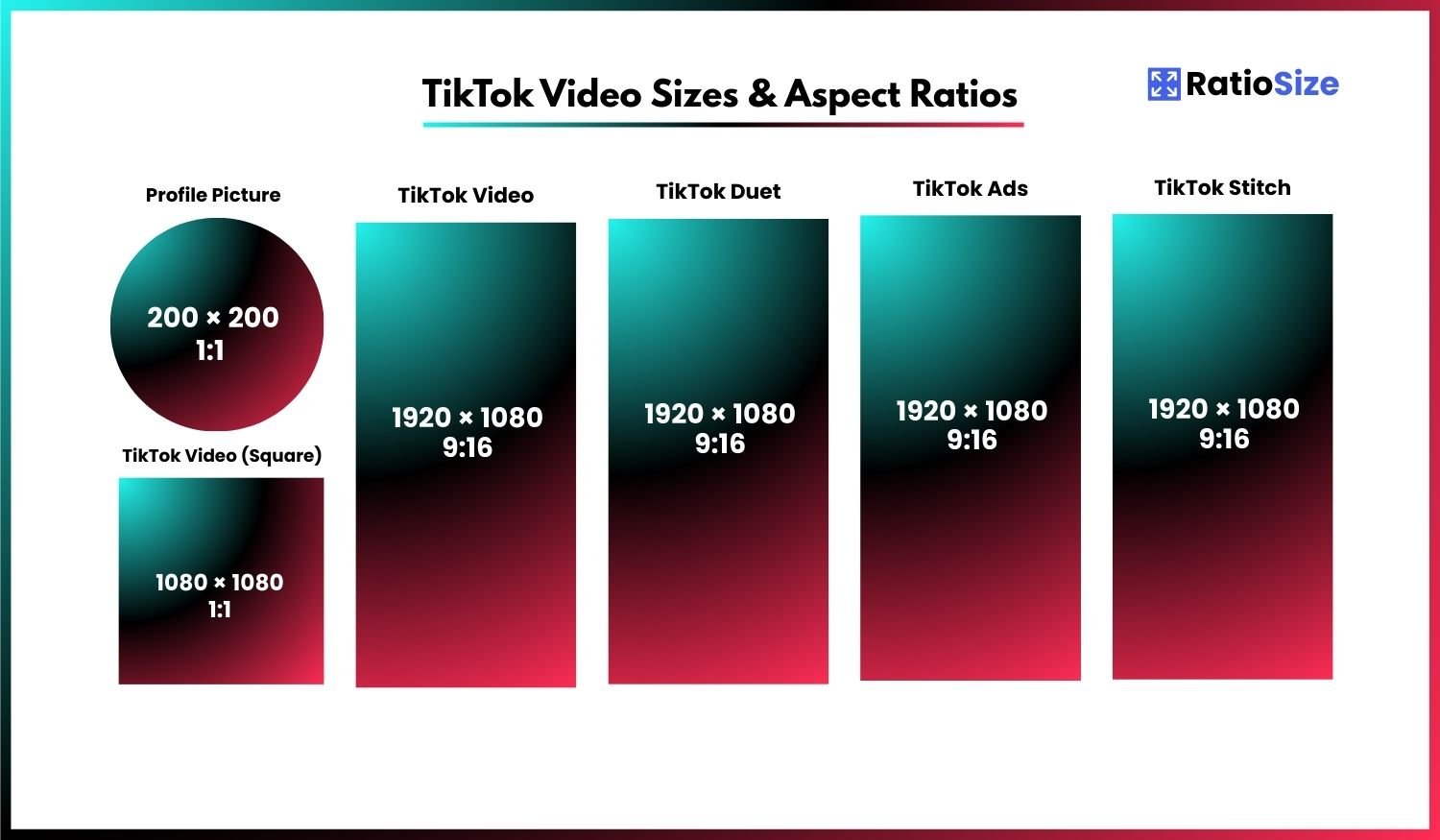
Understanding TikTok's Video Format Requirements
TikTok has revolutionized social media with its focus on short, engaging vertical videos. The platform's immense popularity (with over 1.5 billion monthly active users worldwide) makes it an essential channel for creators, influencers, and brands. Using the correct dimensions and formats ensures your content displays optimally and engages viewers effectively.
Unlike traditional social media platforms that evolved to accommodate various content types, TikTok was designed specifically for vertical video content. This mobile-first approach defines most of TikTok's format requirements, with vertical 9:16 videos being the clear standard for optimal performance.
TikTok Size Chart
| Content Type | Aspect Ratio | Dimensions (pixels) | Notes |
|---|---|---|---|
| Profile Picture | 1:1 | 200 × 200 | Displays as circle |
| Standard Video | 9:16 | 1080 × 1920 | Up to 10 minutes |
| Square Video | 1:1 | 1080 × 1080 | Displays with black bars |
| Duet | Split screen | 1080 × 1920 (total) | Side-by-side videos |
| Stitch | 9:16 | 1080 × 1920 | Sequential videos |
| Ads | 9:16 | 1080 × 1920 | Native ad format |
TikTok Video Formats
TikTok offers different video formats, but vertical 9:16 is strongly preferred. Let's explore each format with its specific requirements and performance characteristics.
Standard Vertical Videos (9:16)
The default and optimal format for TikTok content is vertical 9:16, which fills the entire screen of most smartphones.
- Recommended resolution: 1080 × 1920 pixels
- Aspect ratio: 9:16 (vertical)
- Maximum length: 10 minutes (increased from the original 15-second limit)
- Recommended length: 15-60 seconds (for optimal engagement)
- Maximum file size: 500MB for videos under 3 minutes, larger for longer videos
- Format: MP4 or MOV
- Encoding: H.264 or H.265
Performance note: Vertical 9:16 videos typically receive the highest engagement rates on TikTok since they provide an immersive full-screen viewing experience without requiring the user to rotate their device.
Square Videos (1:1)
TikTok supports square videos, though they don't utilize the full screen space and will display with black bars at the top and bottom.
- Recommended resolution: 1080 × 1080 pixels
- Aspect ratio: 1:1 (square)
- Display: Black bars above and below the video
- Use case: Repurposing content from Instagram or other platforms that use square formats
Best practice: If you must use square videos on TikTok, consider adding visually interesting elements or text in the top and bottom sections of a 9:16 frame to create a full-screen experience rather than allowing black bars to appear.
Profile Elements
Beyond videos, TikTok has specific requirements for profile elements that represent your brand or personal identity on the platform.
Profile Picture
Your TikTok profile picture appears throughout the platform: on your profile, in comments, and when others view your content.
- Recommended size: 200 × 200 pixels
- Aspect ratio: 1:1 (square)
- Display format: Circular crop
- Maximum file size: 1MB
- Format: JPG or PNG
Design tip: Since your profile picture appears as a circle, ensure important elements are centered and not too close to the edges. For brands, consider using a simplified logo or emblem rather than a full logotype that might be illegible at small sizes.
Interactive Features
TikTok offers several interactive features that allow users to collaborate and build upon existing content. These features have their own format considerations.
Duets
Duets allow you to create content alongside another user's video, with both videos playing simultaneously in a split-screen format.
- Format: Split-screen (side-by-side)
- Layout: Your video on one side (typically right), original video on the other side
- Combined size: 1080 × 1920 pixels total
- Individual video size: Approximately 540 × 1920 pixels per side
- Creation: Created within the TikTok app, not through external editing
Engagement tip: When creating Duets, consider how your content will visually complement the original video. Reaction videos, synchronized performances, and visual comparisons typically perform well in this format.
Stitch
Stitch lets you incorporate parts of another user's video into your own. Unlike Duets, Stitches play sequentially rather than simultaneously.
- Format: Sequential (original clip followed by your content)
- Aspect ratio: 9:16 throughout
- Size: 1080 × 1920 pixels
- Clip length: You can select up to 5 seconds from the original video
Creative strategy: Stitches work well for content that builds upon, responds to, or continues the narrative of the original video. Consider how the transition between the original clip and your content will flow.
TikTok Effects and Filters
If you're a developer creating custom TikTok effects using the Effect House platform, there are specific requirements for effect cover images.
Effect Cover
- Recommended size: 1080 × 1080 pixels
- Aspect ratio: 1:1 (square)
- Format: PNG or JPG
- Display: Appears as a rounded square in the effects gallery
Design consideration: Your effect cover should clearly demonstrate what the effect does to help users understand its purpose before selecting it.
TikTok Ads
If you're using TikTok for advertising, the platform offers several ad formats with specific requirements.
In-Feed Ads
These ads appear in users' For You Page (FYP) and blend in with organic content.
- Recommended size: 1080 × 1920 pixels
- Aspect ratio: 9:16 (vertical) is strongly preferred
- Duration: 5-60 seconds recommended
- Maximum file size: 500MB
- Format: MP4 or MOV
TopView Ads
These premium ads appear when users first open the TikTok app.
- Size: 1080 × 1920 pixels
- Aspect ratio: 9:16
- Duration: 5-60 seconds
Branded Effects
Custom branded effects that users can apply to their own videos.
- Effect cover: 1080 × 1080 pixels
- Duration: Effects are typically available for 10 days
Technical Specifications and Best Practices
Video Quality Guidelines
For optimal video quality on TikTok, consider these technical specifications:
- Resolution: 1080 × 1920 pixels
- Frame rate: 25-30fps for standard content, 60fps for high-action content
- Bitrate: 5-15 Mbps
- Video codec: H.264 or H.265
- Audio: AAC, 44.1 kHz sample rate, stereo or mono
- Audio bitrate: 128 kbps+
Safe Zones
When designing TikTok content, be mindful of these safe zones and potential overlays:
- Top zone: Username, captions, and effects info appear at the top of the screen
- Bottom zone: Video description, music info, and action buttons occupy the bottom portion
- Right edge: Like, comment, share, and profile buttons appear along the right side
- Center: The central ~70% of the screen is the safest area for important content
Design strategy: Place your most important visual elements in the center of the frame, away from edges where UI elements may obscure them. If including text overlays, keep them brief and in the central portion of the screen.
Content Strategy for TikTok's Format
Beyond technical specifications, consider these strategic approaches to maximize the impact of your TikTok content:
- Embrace Vertical: Design specifically for the 9:16 vertical format rather than repurposing horizontal content with black bars.
- Front-Load Content: Capture attention in the first 3 seconds to prevent users from scrolling past.
- Optimize for Sound-On: Unlike some platforms where videos often play silently, TikTok is primarily a sound-on experience. Include engaging audio.
- Consider Loopability: TikTok videos loop automatically, so consider how your content transitions from end back to beginning.
- Text Overlay Strategy: Keep text brief, large enough to read on mobile devices, and within the safe zones.
- Avoid Repurposing: Content created specifically for TikTok's vertical format typically outperforms repurposed content from other platforms.
- Leverage Trends: TikTok's algorithm favors trending sounds and effects. Incorporate these while maintaining your brand identity.
Managing Multi-Platform Content
If you're creating content for multiple platforms, consider these approaches to efficiently manage different format requirements:
- Shoot in 9:16: Capturing in vertical format gives you the most flexibility, as you can always crop to other formats if needed.
- Plan for Cropping: When shooting, frame your content with potential crops in mind (e.g., leaving space at the top and bottom if you'll need to create square versions).
- Platform-First Edits: While you may record the same base content, create platform-specific edits that leverage each platform's unique features and format requirements.
- Test Cross-Posting: If you must reuse content, test how it appears across platforms before committing to a cross-posting strategy.
Common TikTok Format Issues and Solutions
Problem: Video Quality Degradation After Upload
Solution: TikTok compresses uploaded videos, which can affect quality. To minimize degradation:
- Upload the highest quality possible within file size limits
- Ensure good lighting to improve compression results
- Use the recommended resolution and codec settings
- Consider recording directly in the TikTok app for native optimization
Problem: Content Cropped Unexpectedly
Solution: To prevent unwanted cropping:
- Always preview your video in the TikTok app before posting
- Use the 9:16 aspect ratio consistently
- Keep critical content centered and away from edges
- Use TikTok's built-in editor to adjust framing if needed
Problem: Text Overlays Appearing Too Small
Solution: For better text legibility:
- Use TikTok's native text tools rather than pre-adding text in external editors
- Choose bold, high-contrast fonts
- Keep text brief and sized generously
- Test on a mobile device before finalizing
By adhering to TikTok's format specifications and implementing these best practices, you'll create content that displays optimally and engages effectively with TikTok's vast, highly active user base.