Understanding the 2:3 Aspect Ratio
The 2:3 aspect ratio, sometimes expressed as 0.67:1, is a portrait-oriented format that plays a significant role in photography, print media, and digital design. This ratio means that for every 2 units of width, there are 3 units of height, creating a vertical rectangle that's ideal for showcasing tall subjects or vertically-oriented compositions.
This ratio is essentially the inverse of the 3:2 ratio used in traditional 35mm photography. When you rotate a 3:2 photograph from landscape to portrait orientation, you get the 2:3 aspect ratio. This makes it a natural choice for portrait photography and vertical designs.
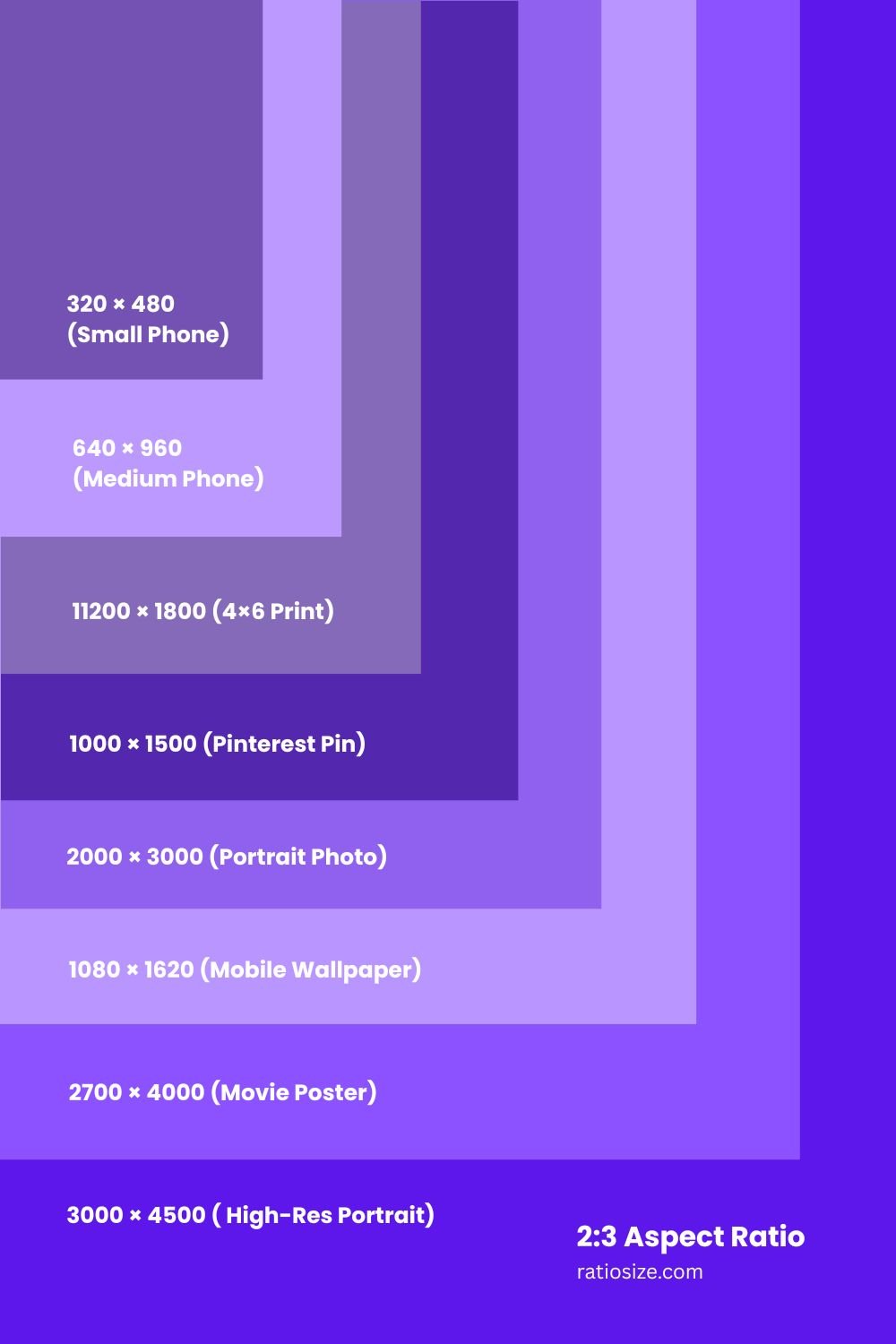
Common 2:3 Resolutions and Their Applications
| Resolution Name | Dimensions (pixels) | Total Pixels | Common Uses |
|---|---|---|---|
| Small Phone | 320 × 480 | 153,600 | Feature phones, legacy mobile content |
| Medium Phone | 640 × 960 | 614,400 | Older smartphones, mobile optimized images |
| 4×6 Print | 1200 × 1800 | 2,160,000 | Standard photo prints (at 300 DPI) |
| Pinterest Pin | 1000 × 1500 | 1,500,000 | Optimal size for Pinterest content |
| Portrait Photo | 2000 × 3000 | 6,000,000 | Professional portrait photography |
| Mobile Wallpaper | 1080 × 1620 | 1,749,600 | Smartphone backgrounds, vertical designs |
| Movie Poster | 2700 × 4000 | 10,800,000 | Standard theatrical poster size (digital) |
| High-Res Portrait | 3000 × 4500 | 13,500,000 | Magazine-quality portrait photography |
| Ultra HD Portrait | 4000 × 6000 | 24,000,000 | Professional print media, large formats |
Applications of the 2:3 Aspect Ratio
In Photography
The 2:3 ratio has significant applications in photography:
- Portrait photography: The vertical orientation is perfect for capturing people, as it accommodates the natural proportions of the human body.
- Photo prints: The standard 4×6 inch photo print follows the 2:3 aspect ratio, making it a natural choice for printing without cropping.
- Book covers: Many book covers use proportions close to the 2:3 ratio, making this format ideal for book cover photography.
- Architecture: Tall buildings and structures are often best captured in the 2:3 format, which emphasizes their height.
Photographer's tip: When shooting in 2:3, compose with vertical subjects in mind. The extra height allows you to capture tall subjects while still including enough context at the top and bottom of the frame.
In Print and Publishing
The 2:3 ratio is common in various print media formats:
- Movie posters: The standard theatrical movie poster size of 27×40 inches follows a 2:3 aspect ratio.
- Book pages: Many book formats approximate the 2:3 ratio, particularly paperback novels.
- Flyers and brochures: Promotional materials often use the 2:3 ratio for its balanced proportions and compatibility with standard paper sizes.
- Magazine layouts: Full-page or half-page vertical layouts in magazines often conform to or approximate the 2:3 ratio.
Design tip: When creating print materials in 2:3 format, consider the rule of thirds for vertical composition, placing key elements at the intersection points of a 3×2 grid.
In Digital Media
The 2:3 ratio has found new applications in digital media:
- Pinterest Pins: The recommended aspect ratio for Pinterest is 2:3, with an optimal size of 1000×1500 pixels.
- Mobile interfaces: Many smartphone apps and interfaces are designed with vertical scrolling in mind, making the 2:3 ratio a good fit.
- Phone wallpapers: Phone screens often have aspect ratios close to 2:3, making this format ideal for mobile wallpapers.
- Digital posters: Online promotional materials often use the 2:3 ratio to maintain consistency with traditional print formats.
Digital design tip: When creating content for Pinterest or vertical social media platforms, the 2:3 ratio provides optimal visibility while avoiding truncation in feeds.
Converting Between 2:3 and Other Aspect Ratios
Converting from 2:3 to 3:2 (Landscape)
- Rotation method: Simply rotate the 2:3 image 90 degrees to achieve a 3:2 landscape format.
- Cropping method: If the content cannot be rotated, you'll need to crop portions from the top and bottom of the 2:3 image to fit the wider 3:2 frame.
- Mathematical conversion: For a 2:3 image with height H, the 3:2 height would be H × (2÷3) × (3÷2), which equals H × (2÷3) × (3÷2) = H × 1 = H, but the width changes.
Converting from 2:3 to 9:16 (Mobile Video)
- Extension method: Add extra content to the top and bottom of the 2:3 image to fit the taller 9:16 format.
- Cropping method: Alternatively, crop portions from the left and right sides to make the image narrower to fit the 9:16 ratio.
- Mathematical conversion: A 2:3 image with width W in a 9:16 format would have a new width of W × (9÷16) × (3÷2), approximately 0.84W.
Converting from 2:3 to 1:1 (Square)
- Cropping method: Remove portions from the top and bottom of the 2:3 image to create a square format.
- Mathematical conversion: For a 2:3 image with width W, the square crop would have dimensions W×W, meaning you'd remove (3W÷2 - W) from the height, which equals W÷2.
Design consideration: When creating content that might need to be displayed in multiple aspect ratios, place the most important elements in the center of the frame to ensure they remain visible after cropping.
Technical Considerations for 2:3 Content
File Size and Resolution
When working with 2:3 content:
- Optimal resolution: For print-quality 2:3 images, aim for at least 300 DPI, which translates to 1200×1800 pixels for a 4×6 inch print.
- File size comparison: A 2:3 image typically contains fewer pixels than a 16:9 image of the same width but more than a 1:1 square image.
- Storage considerations: When planning for image storage, account for the vertical nature of 2:3 images, which may affect how they're displayed in galleries or archives.
Display Considerations
When displaying 2:3 content on various devices:
- Mobile devices: Most smartphones have aspect ratios between 16:9 and 19.5:9, meaning 2:3 content will typically display with small letterboxing (black bars) at the top and bottom.
- Computer monitors: On typical 16:9 or 16:10 landscape monitors, 2:3 content will display with significant pillarboxing (black bars on the sides).
- Print preparation: When preparing 2:3 images for print, ensure you include appropriate bleed areas if the image will extend to the edge of the paper.
Historical Context and Evolution
The 2:3 aspect ratio has a rich history in visual media:
- Film origins: The 2:3 ratio emerged naturally from 35mm photography when the camera was rotated to portrait orientation.
- Print standardization: The ratio became standardized in photo printing, with 4×6 inches becoming the default size for consumer photographs.
- Movie posters: The film industry adopted the 2:3 ratio for theatrical posters, establishing a standard that continues today.
- Digital adaptation: With the rise of digital media, the 2:3 ratio has found new applications in social media platforms like Pinterest and in mobile-oriented design.
As visual media continues to evolve, the 2:3 aspect ratio remains relevant for its versatility in portrait-oriented content and its natural fit for showcasing vertical subjects.
Practical Tips for Working with 2:3 Aspect Ratio
For Photographers
- When shooting in 2:3, leave some extra space at the top and bottom for potential cropping
- Use the vertical format to emphasize height in your subjects
- Consider the rule of thirds along the vertical axis for balanced composition
- For portraits, the 2:3 ratio allows you to include more of the subject's body compared to wider ratios
For Designers
- When designing in 2:3, organize content in a vertical hierarchy
- For Pinterest and social media, optimize images at 1000×1500 pixels for best visibility
- Consider how text will flow in a vertical layout, with shorter line lengths than horizontal formats
- Use the extra vertical space to create a visual narrative that flows from top to bottom
For Print Preparation
- Add a 0.125-inch bleed area around your 2:3 design when preparing for print
- Keep important elements at least 0.25 inches from the edge to avoid trimming issues
- For book covers or movie posters, consider how the design will look both up close and from a distance
- Test your 2:3 designs at actual size before final production
The 2:3 aspect ratio offers a perfect balance for vertical subjects and portrait-oriented designs. By understanding its properties and applications, you can effectively use this format to create compelling visual content across both print and digital media platforms.